What is an agent and how does it work?
How tasks, tools, human sign-off and triggers fit together in a Rightbrain agent.
 Florian RuspiHead of Growth, Rightbrain
AI agents are defined differently depending on who you ask. In this guide we run through what makes up an agent in Rightbrain and how we make sure they're as reliable as possible.
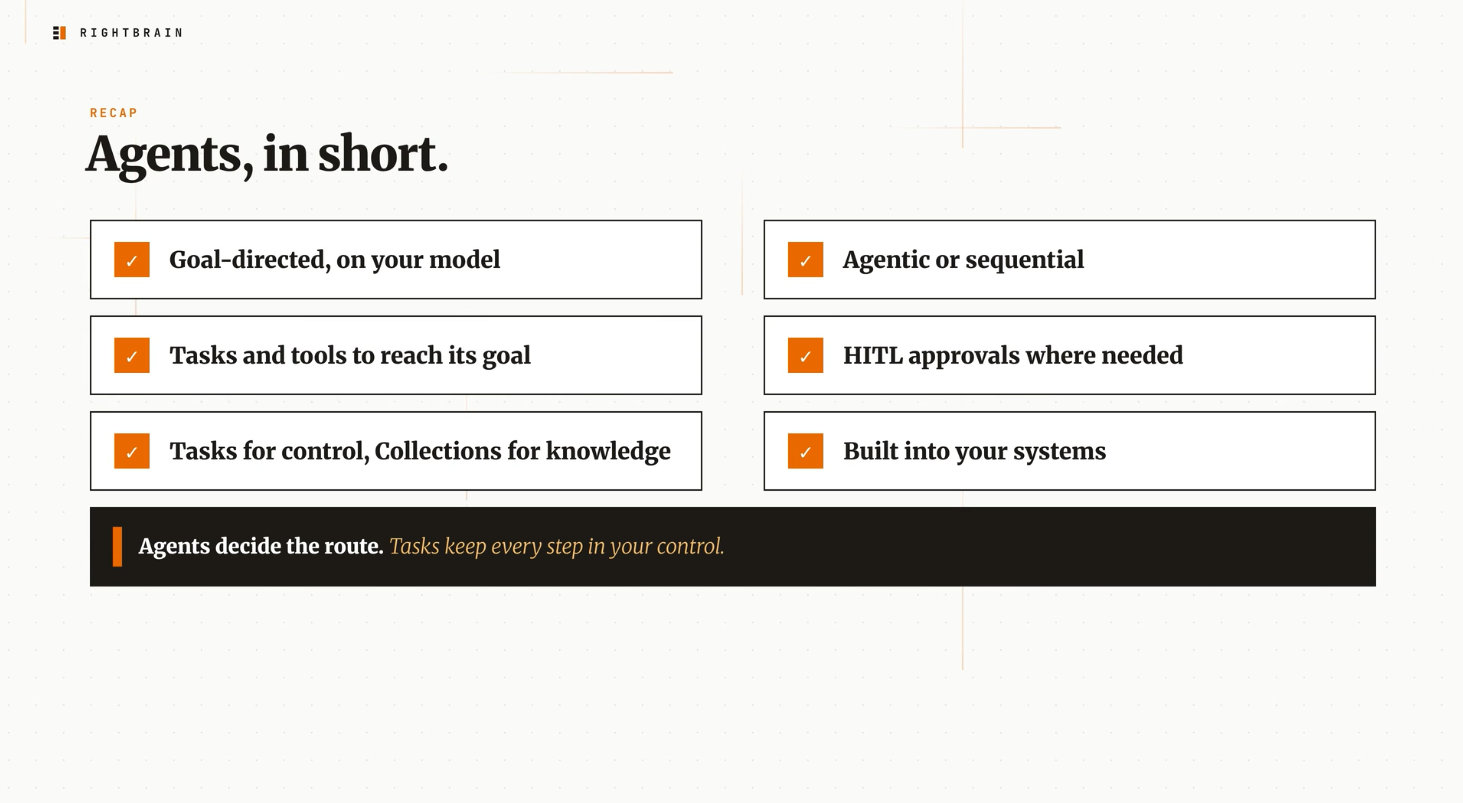
Rightbrain agents follow a clear structure. An agent reasons towards a goal. Tasks and tools give it the means to get there. You choose whether it picks its own route or follows a fixed order, you decide which actions need a person to approve them, and you start it through an API call, a webhook or a schedule. Below, we walk through each part using one running example: a support triage agent.
What is an AI agent?
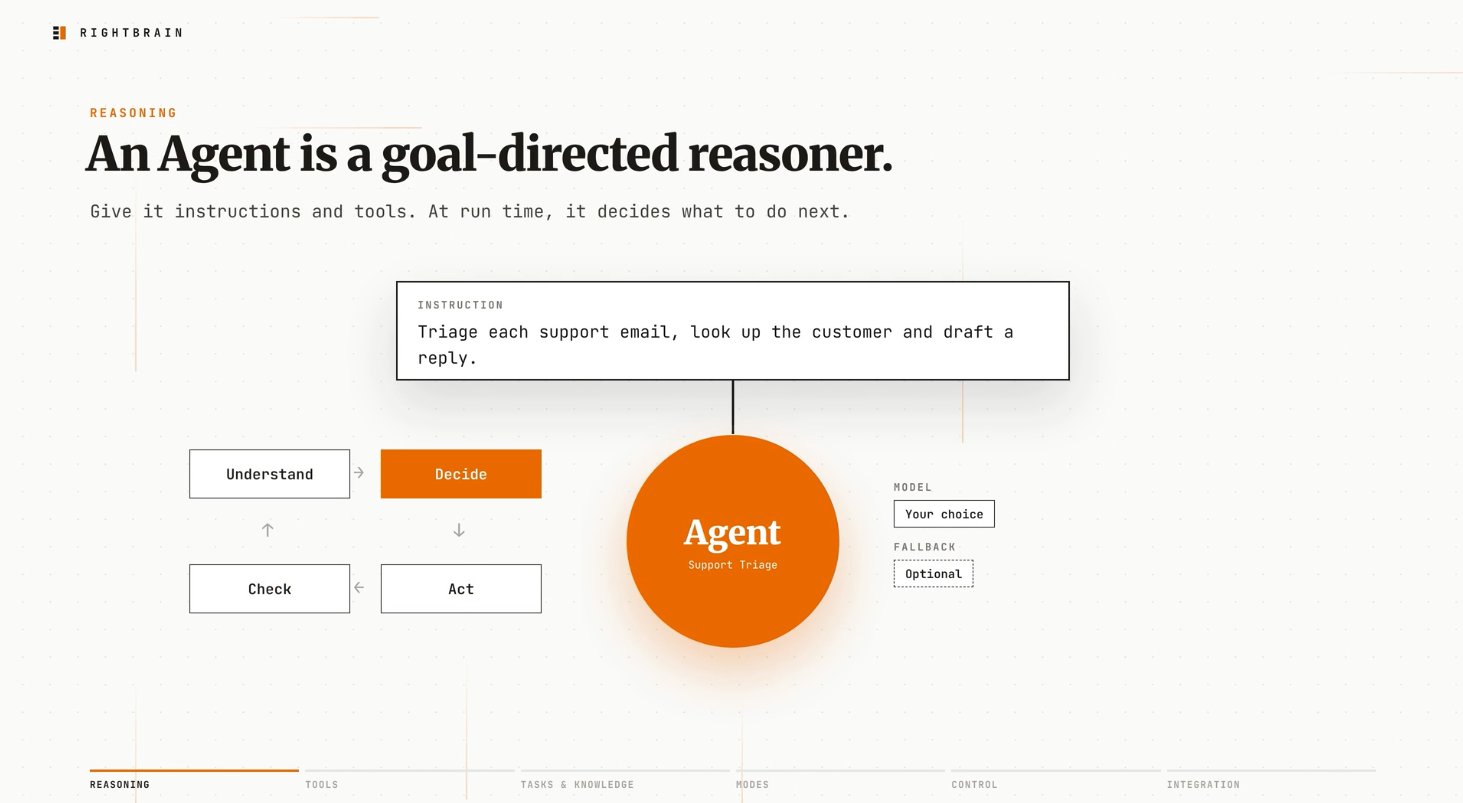
An AI agent is a goal-directed reasoner. You give it instructions and a set of tools, and at run time it decides what to do next.
Give a support agent the instruction "Triage each support email, look up the customer and draft a reply." The agent works through a loop: understand the request, decide on the next step, act, then check the result before going again. The loop stays constant. The steps inside it depend on the email in front of the agent.
You choose the model each agent runs on, and you can set a fallback model so a run carries on if the primary model is unavailable. Rightbrain sits in the layer above the model, so the logic you build stays yours whichever provider you pick.
How agents use Tasks and tools to reach a goal
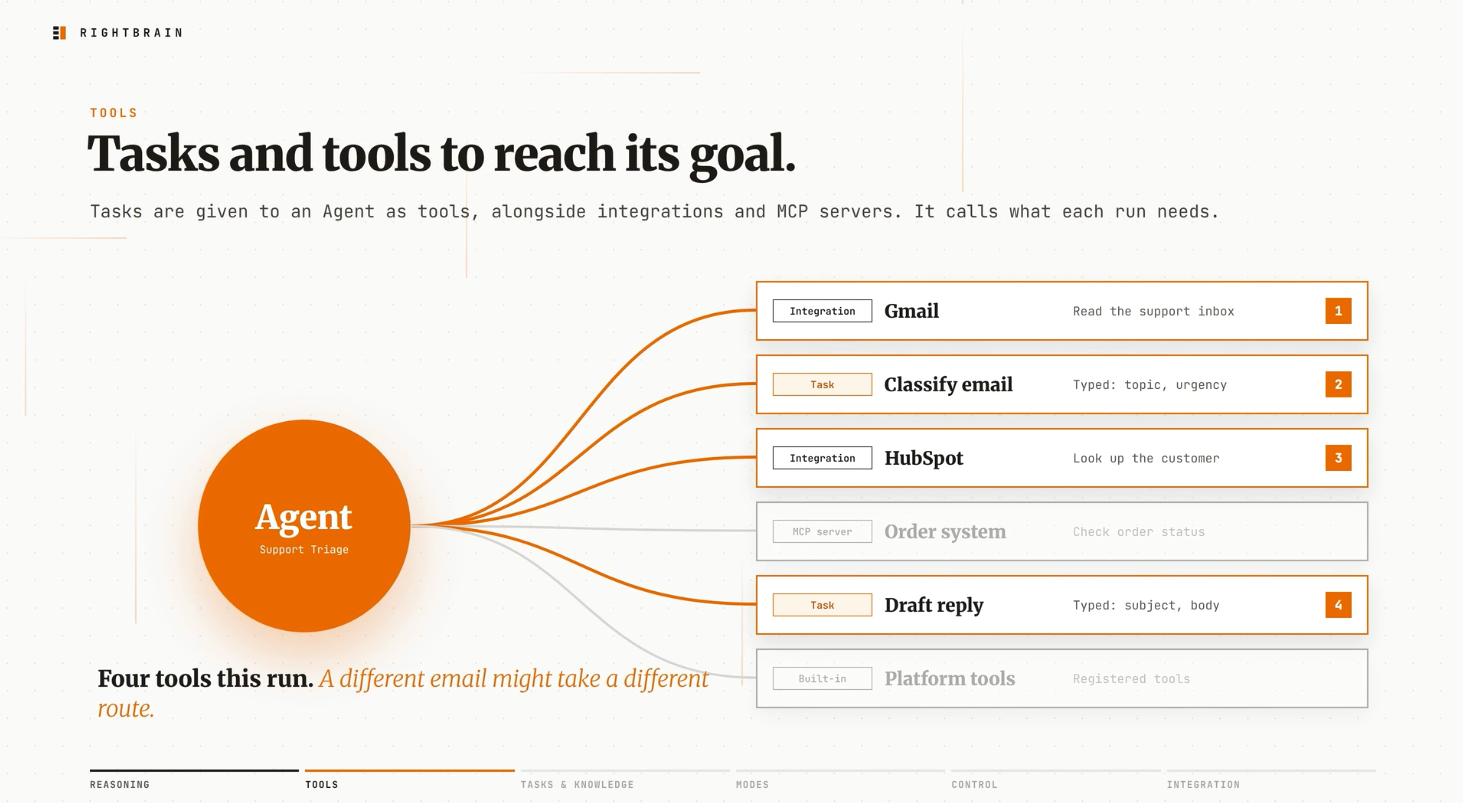
An agent can only act on what it can reach. In Rightbrain, an agent's toolkit can combine four kinds of tool:
- Integrations, such as Gmail to read the support inbox or HubSpot to look up the customer
- Tasks, such as Classify email (typed output: topic, urgency) or Draft reply (typed output: subject, body)
- MCP servers, such as an order system to check order status
- Built-in platform tools registered in Rightbrain
The agent calls whichever ones each run needs. A straightforward email might take four tools: read the inbox, classify the email, look up the customer, draft the reply. A different email might call for an order status check instead. The route changes with the request while the toolkit stays fixed, which keeps every possible action inside boundaries you have defined.
Tasks for control, Collections for knowledge
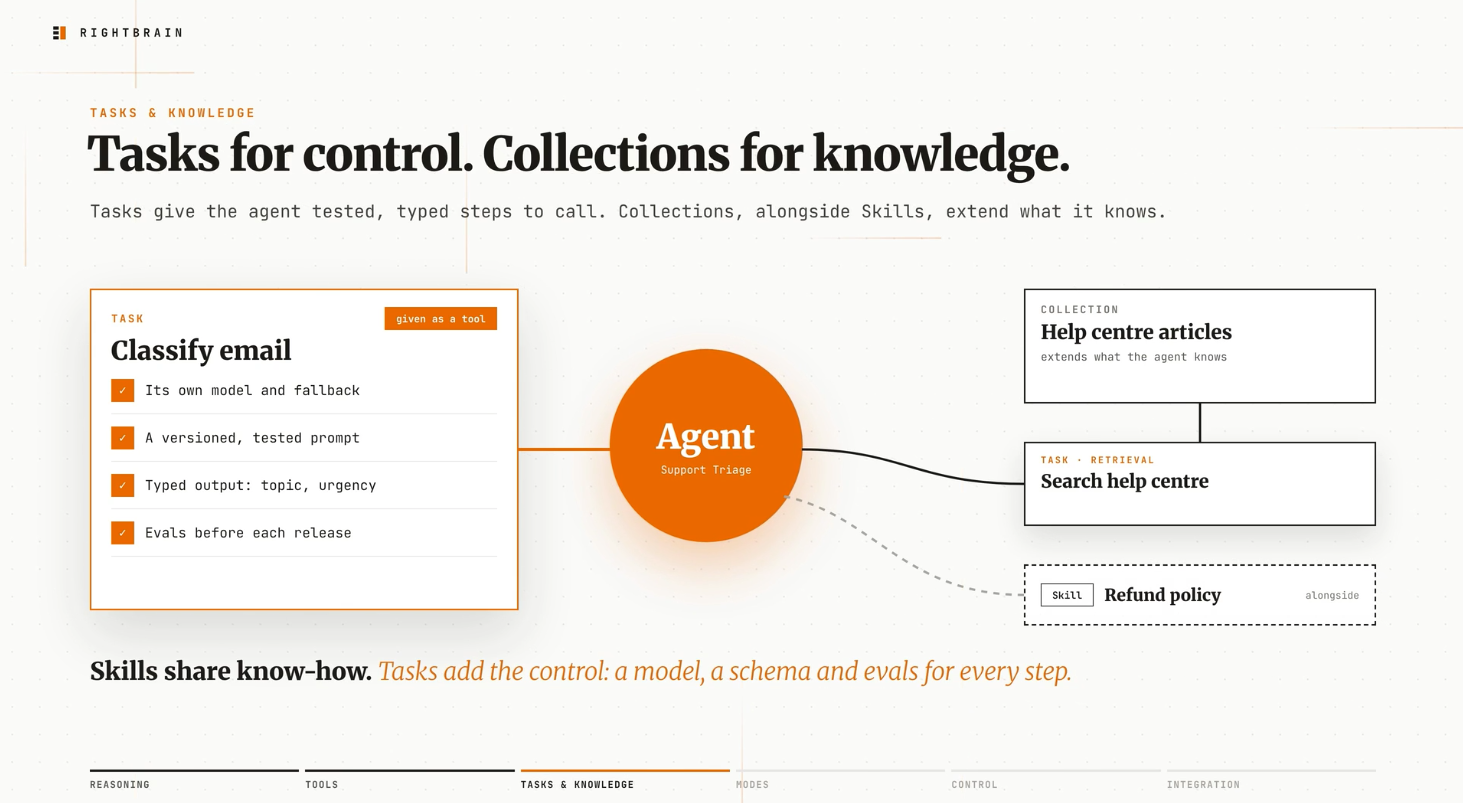
Some steps should never be left to open-ended reasoning. Where a step needs to return the same shape on every run, hand it to a Task.
A Task is a single, structured AI function with:
- its own model and fallback
- a versioned, tested prompt
- a typed output, such as topic and urgency
- evals before each release
Give Classify email to the agent as a Task, and the classification comes back in the same shape every time, ready for the next step or the next system. We cover the detail in Tasks: one job, done the same way every time.
Knowledge sits alongside control. Collections hold the material an agent needs to reference, such as help centre articles, and a retrieval Task lets the agent search them mid-run.
Agentic or sequential: choosing how an agent runs
Rightbrain agents run in one of two modes.
Agentic (the default). The model chooses what to call and in what order. It can branch, repeat or run steps in parallel. Agentic mode suits work where requests vary and the right path depends on what the agent finds along the way.
Sequential. Tasks run in a fixed order, with each result passed forward to the next step: classify the email, extract the relevant details, then draft the reply. Sequential mode supports Task tools only. Use agentic mode when the agent needs integrations such as HubSpot or email, MCP servers or built-in tools. Sequential mode suits processes your team already knows step by step and wants to run identically at volume.
A sensible starting point for many teams is a sequential agent for a well-understood process, with agentic mode reserved for the work where judgement adds real value.
Human sign-off where it matters
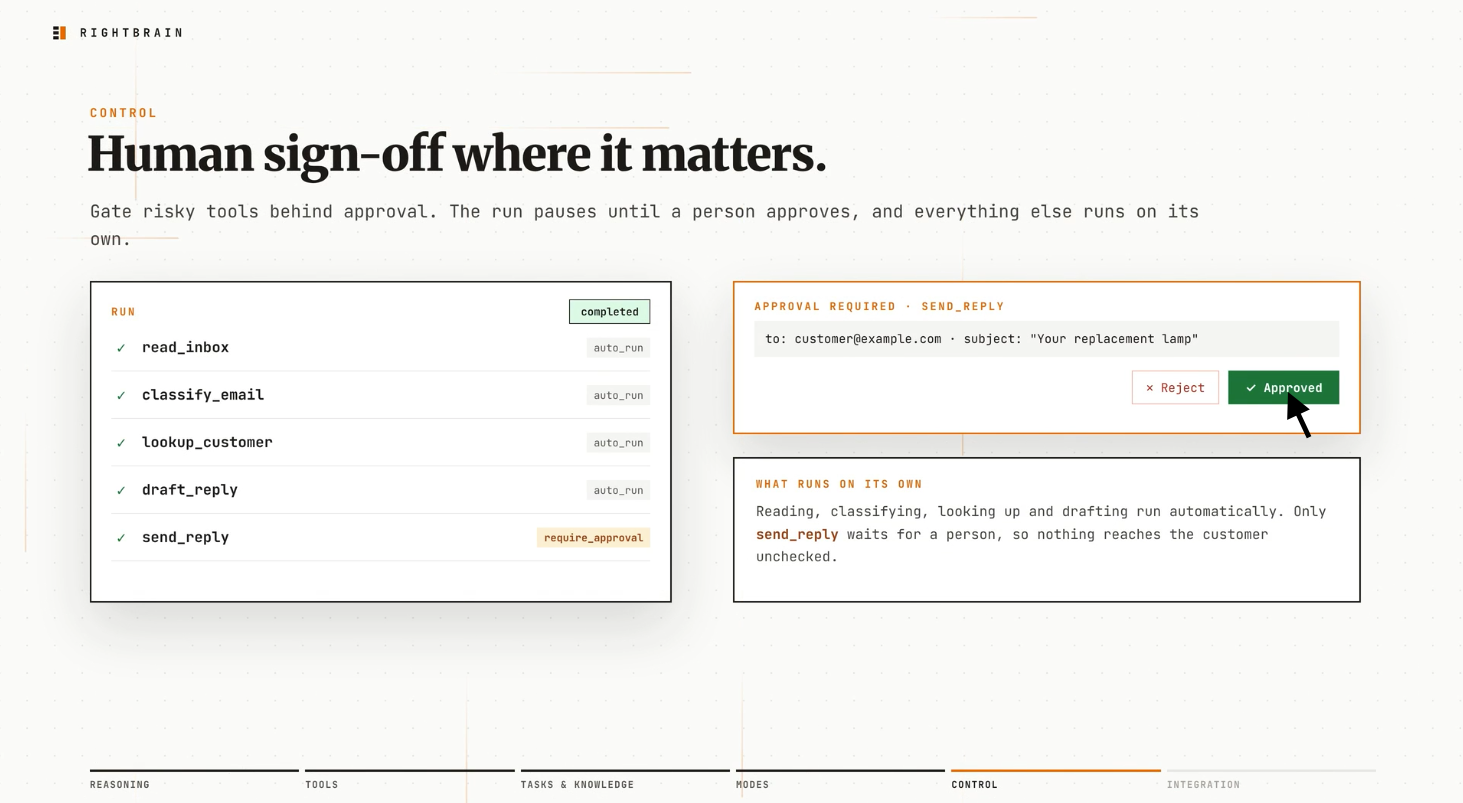
Some actions can't be walked back. Rightbrain lets you gate risky tools behind approval: the run pauses until a person approves, and everything else runs on its own.
In the support triage example, reading the inbox, classifying the email, looking up the customer and drafting the reply all run automatically. Only the Send reply tool waits for a person. A reviewer sees the recipient and subject line, approves or rejects, and the run completes. Nothing reaches the customer unchecked.
The principle: gate the single action with consequences and let the rest of the agent run. Approval on all steps slows the agent down and trains reviewers to click through without reading. Approval on the one irreversible step keeps the checkpoint meaningful. Read more in Approve before it fires.
Built into the systems you already run
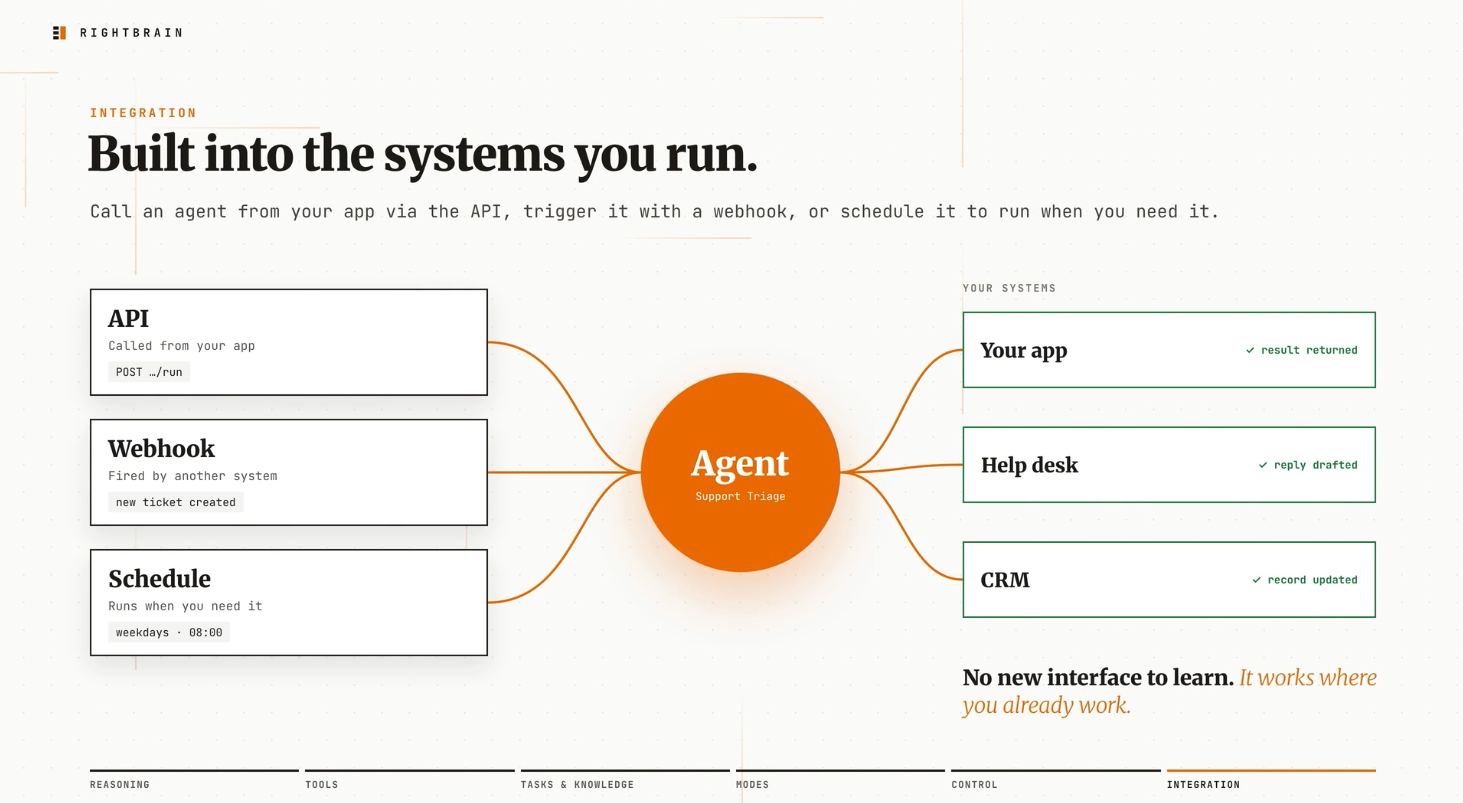
An agent earns its place once it runs inside your day-to-day operations. Rightbrain agents start in three ways:
- API: call the agent from your own app
- Webhook: fire it from another system, for example when a new ticket is created
- Schedule: run it at set times, such as weekdays at 08:00.
Results land where the work happens: returned to your app, drafted as a reply in your help desk or written to your CRM.
For teams building agents for their own clients, the same triggers let an agent sit inside each client's existing stack, with no change to how their people already work.
Where to start
Pick one process your team handles by hand every week, like inbox triage, client onboarding or a recurring report. Map its steps, then sort them:
- Which steps must run the same way every time? Make those Tasks.
- Which steps need judgement? Leave those to the agent.
- Which steps can't be undone? Put those behind approval.
- What should kick the process off? Choose an API call, a webhook or a schedule.
Your first agent design comes straight out of those four answers. Full detail on agents lives in the Rightbrain docs. If you'd like to talk through which of your processes suit an agent, book an intro call with the team.
Florian Ruspi
Head of Growth, Rightbrain
Florian Ruspi is Head of Growth at Rightbrain.
Run agents on a real runtime
Get in touch and see the tracing, replay, and resilience that make agents production-ready.