Guide
Generate on-brand product shots with Rightbrain in minutes
Creating on-brand product imagery is usually slow and expensive, and results depend on prompt-writing skill. With Rightbrain and Gemini 2.5 Flash you can generate consistent, realistic scenes from text, image, or both, in seconds.
Rightbrain × Gemini 2.5 Flash
Secondsfrom source image to new scene
Text + imageinputs, plain-English prompts
Cataloguescale via a single API call
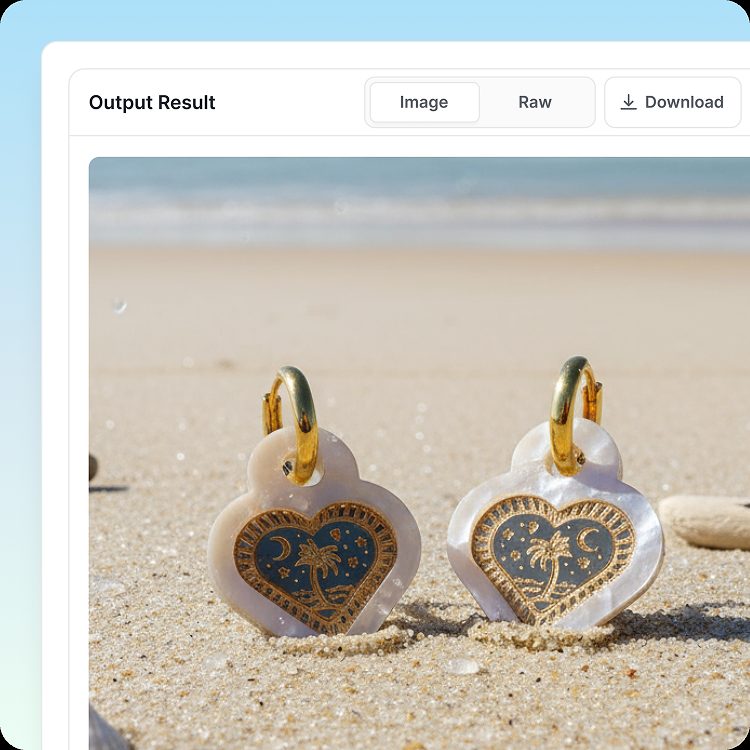
With Rightbrain and Gemini 2.5 Flash you can generate scenes from text, image, or both. Upload a product image, describe the setting in plain English (for example, "place this earring on a beach"), and generate consistent, realistic shots in seconds. Plug the task into your stack via API or MCP to scale from a one-off image to a full catalogue refresh.
Step-by-step guide
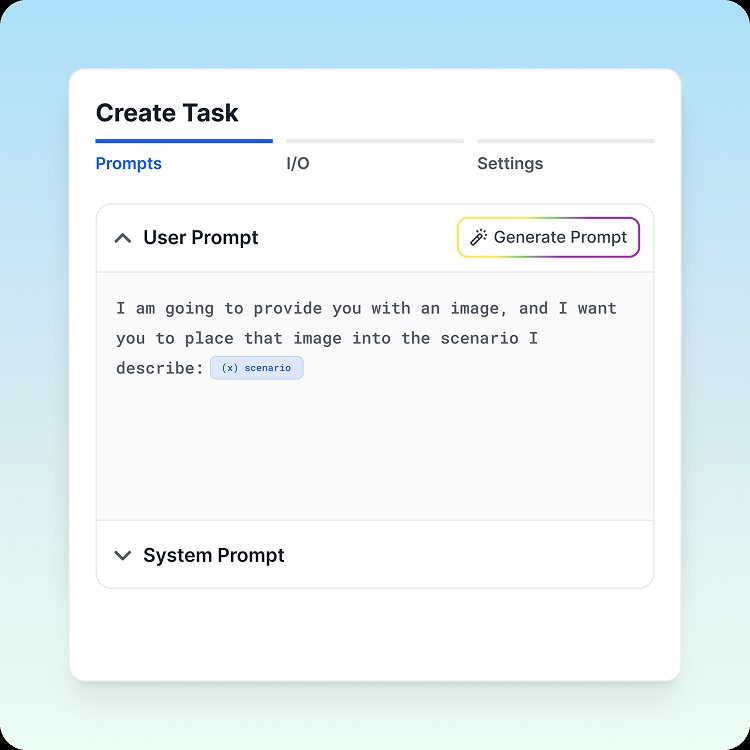
- Build the task. Enable the Gemini Flash image model in your Rightbrain task template.
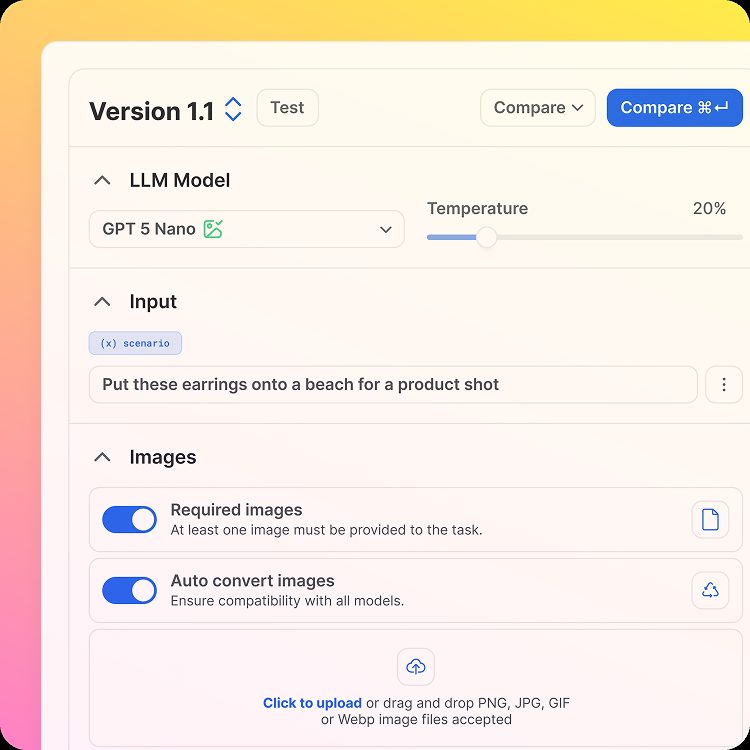
- Provide your product image. Upload the source image and enter a description of the new scenario you want to generate.
- Describe the scenario. Say where you want the source product placed, for example, "put these earrings on a beach".
- Generate the product shot. Run the task to send your source image and instructions to the image model for processing.
- Review & export. Check the new image, then integrate it into your existing workflows with a simple API call.
Who is this for?
- Ecommerce teams: produce product photos for any scenario, matched to seasons or themes.
- Marketing teams: create campaign visuals and continuously test new imagery.
- Retailers: generate high-quality imagery for large catalogues that follows brand guidelines.
Key benefits
- Save time and cost versus traditional product photography.
- Preserve product accuracy while enhancing depth, realism, and context.
- Scale across entire catalogues with a simple API or MCP endpoint.
- Generate unique, brand-aligned assets in minutes.
Pro tips
- Draft a prompt that clearly outlines the type of image you want and the input variables it will operate on.
- Select Image as the output modality when building your task.
- Toggle Required Image if you'll be using an image as an input variable.
- Choose Google Flash 2.5 Image as your model.
- Test and iterate on your prompt until you've nailed the look and consistency you're after.
Refresh your catalogue with AI
We'll build your first image task and wire it into your workflow in a single session.