Prepayments Agent: automate month-end prepayments in Xero
A scheduled finance workflow that prepares prepayment releases and draft Xero journals for approval.
Prepayments are an important part of accurate accounts, but processing them shouldn’t take hours.
The Prepayments Agent handles the repetitive work in Xero. It finds new invoices coded to prepayments, reads the supporting documents, calculates the monthly release schedules and prepares draft journals for approval and the usual finance review.
Here’s how it works, why dividing month-end into clearly defined tasks makes AI agents more reliable, and how the workflow fits into the systems and controls finance teams already use.
Why automate prepayments at month-end?
Month-end brings the same familiar routine: find every transaction coded to prepayments, identify the period each service covers, calculate the monthly releases, prepare the journals and document the details again for the balance sheet reconciliation.
Each step is straightforward. Together, they can take hours and one mistake early in the process can flow through the entire schedule.
The usual solution is a spreadsheet and an afternoon spent copying figures between screens. For an accountancy firm, that same afternoon repeats across every client.
How does a Prepayments Agent work?
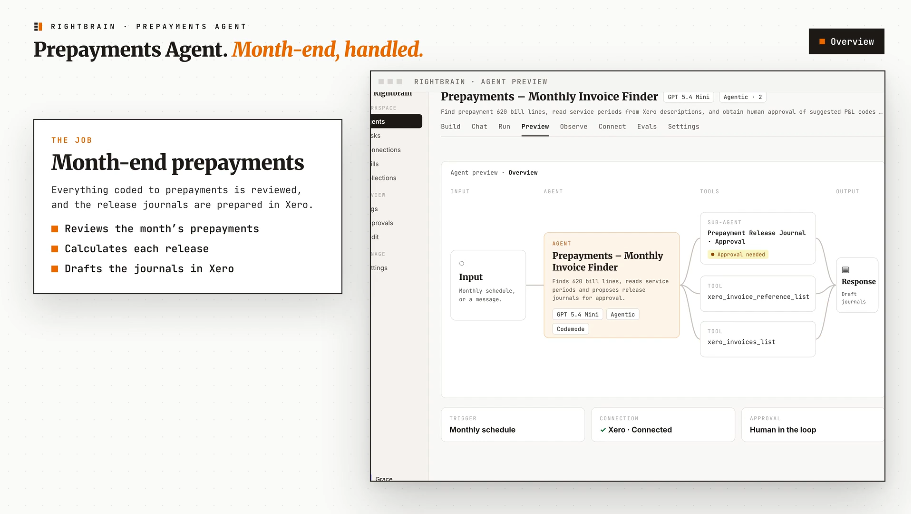
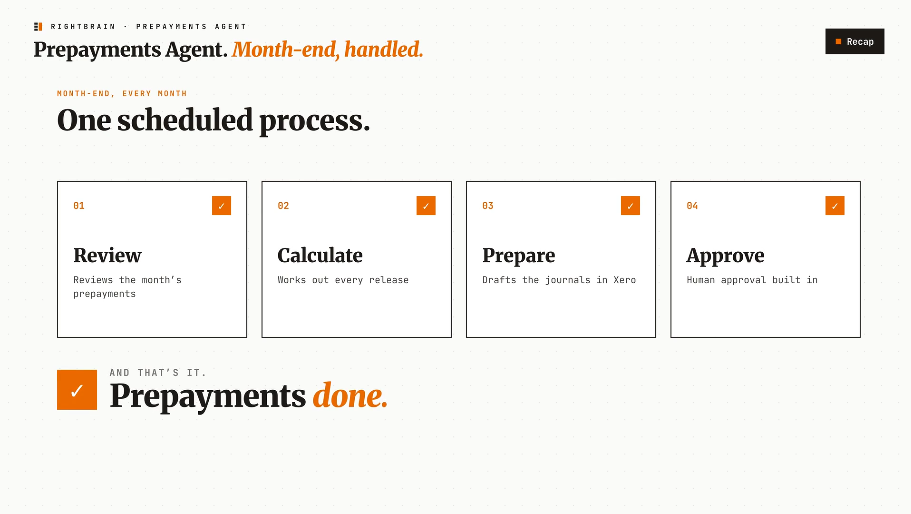
The agent runs each month and completes four clearly defined tasks in sequence. The example follows one invoice to make the process easy to understand, but in normal use it reviews everything newly coded to prepayments during the period.
Find the invoice in Xero
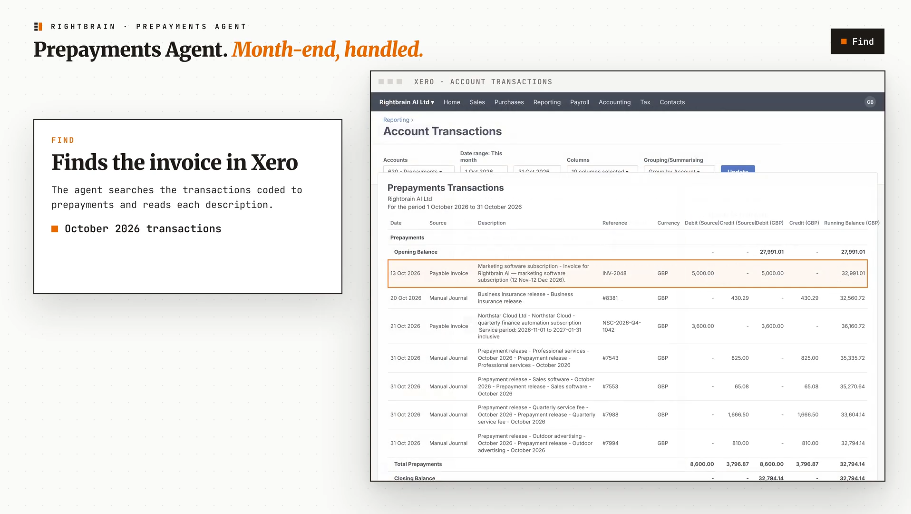
The agent searches Xero for bills coded to the prepayments account, then retrieves and reads each attached invoice. It uses the invoice details to identify the amount and the period the service covers. If the attachment is missing or the service period is unclear, the item is held for review.
Calculate the release schedule
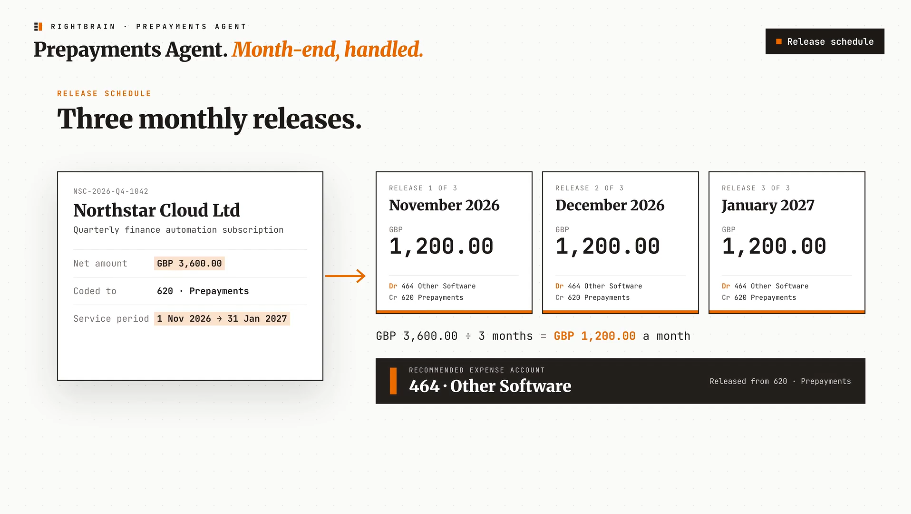
The service period determines how the cost is spread.
For example, a £3,600 net invoice covering three months becomes three monthly releases of £1,200 in November, December and January. The agent also recommends the appropriate expense account for the releases.
Approve the schedule
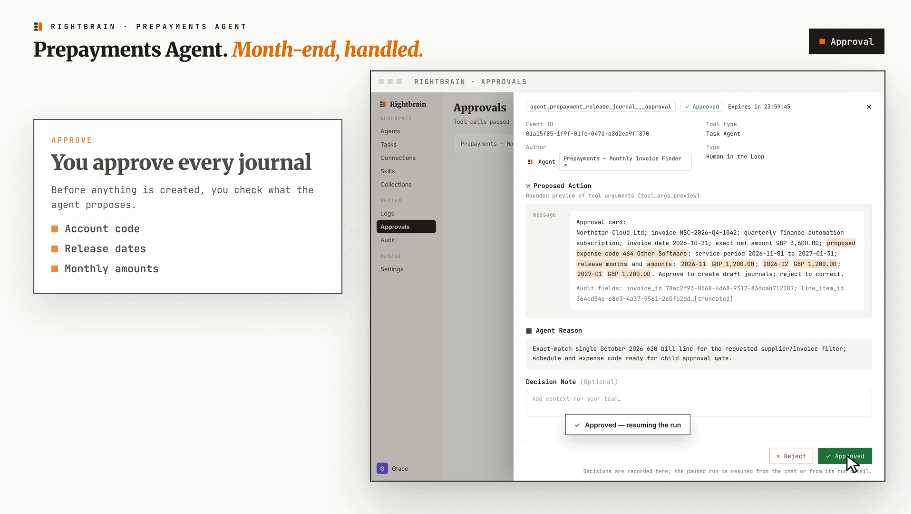
Before anything is created, a reviewer checks the proposed expense account, release dates, monthly amounts and the agent’s reasoning in Rightbrain Approvals.
Approve the complete schedule and the agent continues. Reject it and Xero remains unchanged, allowing the schedule to be corrected first.
Draft the journals in Xero
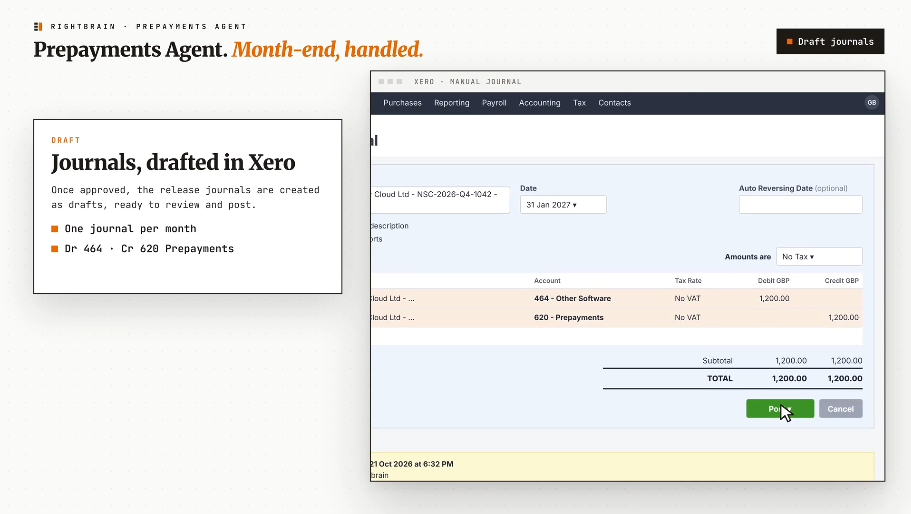
Once approved, the agent creates one draft release journal for each month in Xero.
The journals remain subject to the finance team’s normal review. They can be checked individually or reviewed together before posting.
Why breaking the process into tasks matters
Reliable automation does not mean asking an AI model to “do the prepayments” in one unrestricted step.
The workflow separates finding the evidence, calculating the schedule, securing approval and creating the journals. Each task has a clear input, output and stopping point.
That structure makes the work easier to verify. Missing evidence is flagged, calculations can be reviewed before they reach Xero, and the agent cannot create journals until a person approves the schedule.
Support the reconciliation with details already captured
The agent can also record the key details for every item in Google Sheets or CSV, including the supplier, invoice number, description, amount and service period.
This creates a clear supporting record for the balance sheet reconciliation without anyone retyping information from the invoices.
A person still reviews and approves the work. The agent removes the manual legwork and leaves a clear record behind.
One workflow, whether you manage one ledger or many
For an internal finance team, prepayments are one part of the monthly close. For an accountancy firm, the same process repeats across every client and the workload grows with the client list.
The agent makes that process repeatable. It runs to schedule, works from the relevant Xero organisation and prepares the calculations, draft journals and reconciliation details before handing control back to a person for approval.
Internal teams can close faster without weakening their controls. Accountancy firms can support more clients without increasing repetitive month-end work at the same rate.
This is not an automated black box. It is a consistent, reviewable process that handles the preparation at scale while keeping finance professionals in control.
Run agents on a real runtime
Get in touch and see the tracing, replay, and resilience that make agents production-ready.