Guide
Connect Rightbrain to Clay for intelligent, personalised outbound
Connecting Rightbrain to Clay gives you consistent, structured LLM responses you can reliably use in automations and outreach. Compare and swap models to cut costs, add fallbacks for reliability, and improve prompts over time without breaking your workflow.
Clay × Rightbrain
4 stepsfrom Clay call to mapped table
Swapmodels to balance cost and quality
Structuredoutputs that don't break automations
Connecting Rightbrain to Clay helps you create consistent, structured LLM responses you can reliably use in automations and outreach. You can compare and swap models easily to cut costs, add fallbacks for reliability, and improve prompts over time without breaking your workflow.
Step-by-step guide
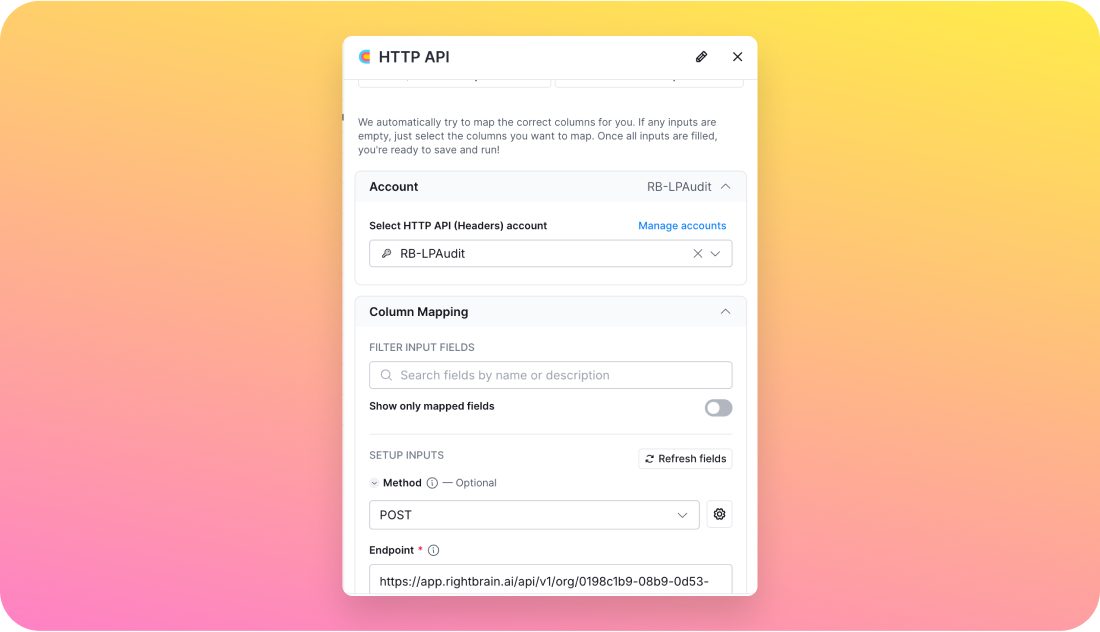
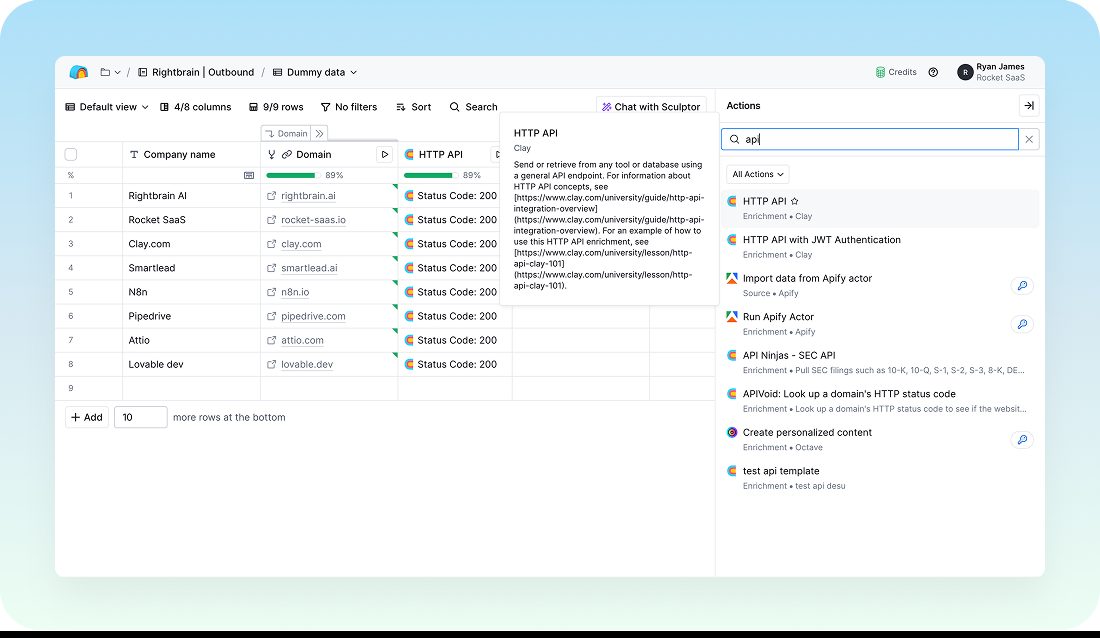
- Call Rightbrain from Clay. Use Clay's HTTP API enrichment to call Rightbrain's API. This triggers the task and connects the website data for evaluation.
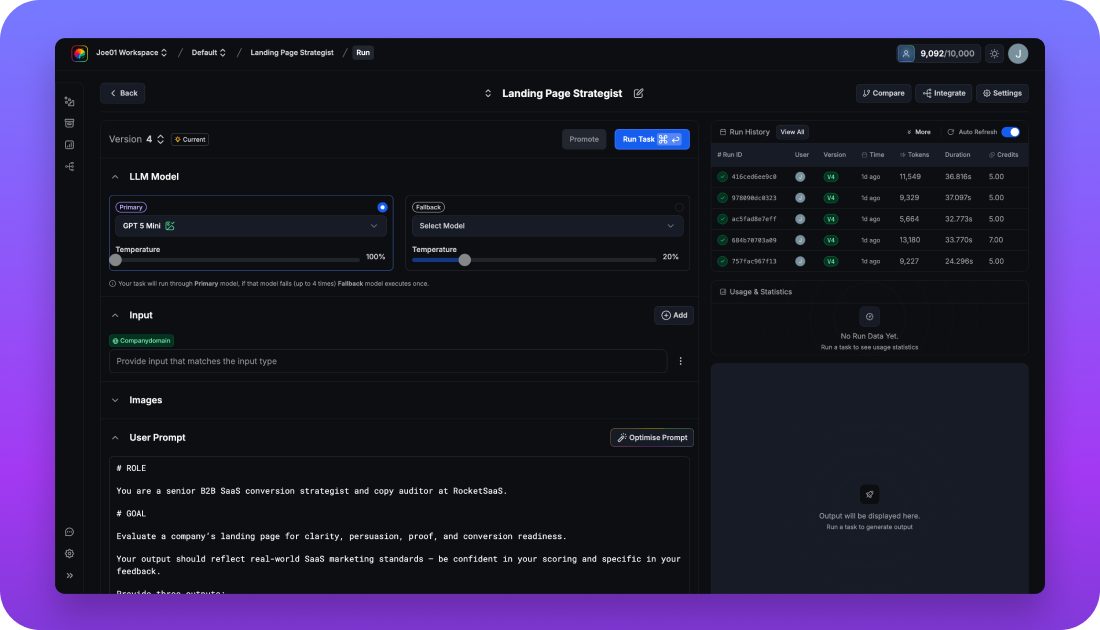
- Grab the call details. In your Rightbrain task's integration section, gather the required call details to set the task up correctly inside Clay.
- Map into Clay fields. Align the fields in Clay with the Rightbrain outputs so all relevant data is transferred and ready for analysis.
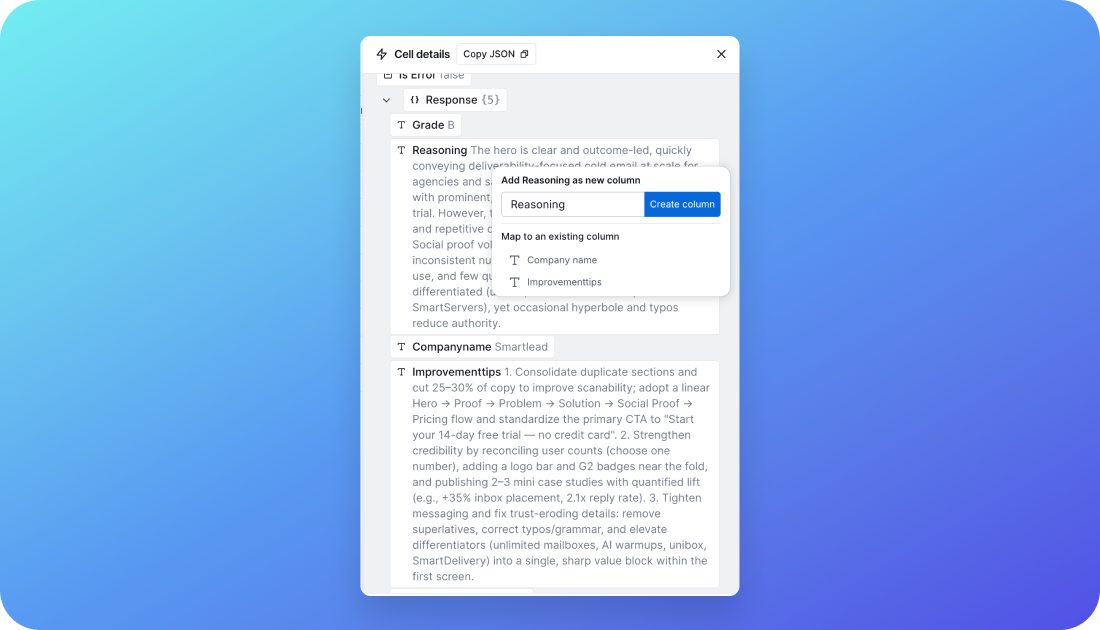
- Map outputs into the table. Finally, map the various Rightbrain outputs into a structured table within Clay, making the results easy to read and actionable.
Who is this for?
- Demand generation teams: personalise outreach campaigns using real audit insights.
- Founders: automate lead qualification and save hours on manual website checks.
- GTM engineers: build scalable audit-to-outreach workflows with minimal maintenance.
Key benefits
- Reliable, data-driven messaging: every prospect gets personalised outreach informed by real results.
- Scalability: run audits on multiple websites without losing quality or speed.
- Cost efficiency: choose the most cost-effective model for each task, balancing performance and cost.
- Actionable insights: receive clear, prioritised recommendations with a detailed score to guide improvements.
- Transparency: track changes, approvals, and comments in an audit trail for full oversight.
Pro tips
- Segment by priority: run quick audits for cold prospects and deeper analyses for warm leads.
- Automate follow-ups: use Clay triggers to re-audit sites on a schedule and refresh messaging automatically.
Wire Rightbrain into Clay
We'll set up your first HTTP enrichment and map the outputs into your Clay table together.